
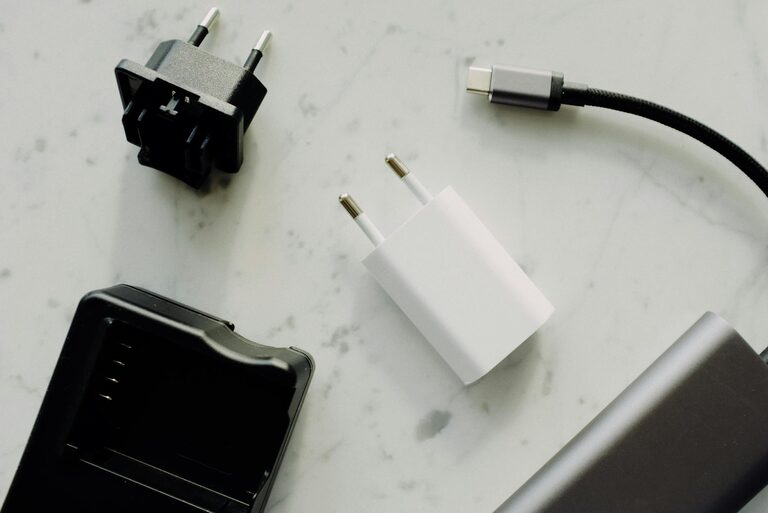
Setting up a dedicated charging station for your devices is a smart way to keep your gadgets powered up and your space tidy. Whether you have smartphones, tablets, wireless earbuds, or smartwatches, a charging station consolidates all your charging needs in one neat area.
In this guide, we’ll walk you through everything you need to know to create an effective charging station at home or in the office. From choosing the right location to organizing cables, you’ll discover practical tips to make device charging simple and hassle-free.
Why Set Up a Charging Station?
With multiple devices in daily use, charging anywhere around the house often results in tangled cords and misplaced chargers. A charging station helps:
– Keep gadgets in one place for easy access
– Reduce clutter with organized cables
– Protect devices by providing stable, clean power sources
– Save time by avoiding the hunt for chargers or outlets
Once set up, it can become a reliable spot for family members to recharge their tech quickly.
Step 1: Choose the Right Location
Finding a convenient spot is the first step in setting up your charging station. Here’s what to consider:
– Accessibility: Pick a place everyone can easily reach, such as a kitchen counter, desk, or bedside table.
– Power Source: Ensure there is an electrical outlet nearby or plan to use a power strip for multiple devices.
– Space: The area should be large enough to accommodate all your devices along with their chargers.
– Safety: Avoid damp or overly hot locations that could damage electronics.
Step 2: Select the Charging Equipment
Your charging station’s efficiency depends on having the right charging tools. Consider these options:
– Multi-port USB Chargers: These allow charging multiple devices simultaneously from one outlet.
– Charging Docks or Stands: Device-specific docks can hold phones or tablets upright for easy viewing while charging.
– Wireless Chargers: For compatible devices, wireless pads reduce cable clutter.
– Power Strips with Surge Protection: Protect your devices from voltage spikes and gain extra outlets.
When selecting chargers, check that they provide sufficient power output matched to your devices for optimal charging speed.
Step 3: Organize Your Cables and Devices
Good cable management makes your charging station safer and neater. Try these tips:
– Use Cable Clips or Velcro Straps: These keep cords bundled and prevent tangling.
– Label Each Cable: Helps distinguish cables quickly, especially if multiple family members use the station.
– Cable Boxes or Sleeves: Conceal and guide cables along a single path.
– Store Extra Cables Nearby: Keep spare or less-frequently used cords in a drawer or container close to the station.
Arrange devices so they sit securely on the surface, minimizing the risk of falling or damage.
Step 4: Customize for Your Needs
Make your charging station suit your lifestyle by adding:
– Shelves or Drawers: Use to hold accessories like headphones, power banks, or device cases.
– Lighting: A small LED lamp can help you locate devices and cables in the dark.
– Labels or Signs: Keep the station organized by assigning spots for each device or user.
– Decorations: A visually appealing setup encourages regular use and blends into your space.
Step 5: Maintain Your Charging Station
Regular upkeep ensures longevity and performance:
– Clean the Area: Dust chargers and wipe surfaces to prevent dirt buildup.
– Inspect Cables: Replace frayed or damaged cords promptly.
– Update Chargers: Swap out older chargers for newer models supporting fast charging or more ports.
– Reorganize Periodically: Adjust based on changing device needs or family members.
Tips for a Successful Charging Station
– Keep Devices Unplugged When Fully Charged: This prevents overcharging and preserves battery health.
– Avoid Overloading Outlets: Use quality power strips to safely charge multiple devices.
– Consider Portability: If you travel frequently, build a smaller, movable charging station.
– Use Smart Plugs or Timers: These can help automate charging schedules to save energy.
—
Creating a charging station tailored to your devices and routines will streamline your daily tech use. With a well-organized setup, you’ll spend less time dealing with cords and more time enjoying your gadgets fully charged and ready to go.
Have you set up a charging station before? Share your tips and favorite accessories in the comments below!